
Search

Parsing HTML Using Python

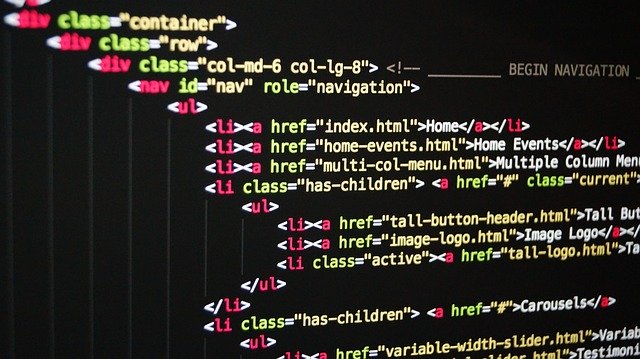
HTML, also known as Hypertext Markup Language, is used for creating web pages and is a standard markup language. If you have ever seen the code of any website or blog, you most probably was reading the HTML code of the page. In this post, we want to parse some HTML strings. By parsing, I mean analyzing the strings syntactically for specific symbols based on the components in the string.
python html parser


We will be using the python class HTMLParser that is contained in the module html.parser for this activity.

All instances or objects of the HTMLParser class are able to parse the markup of text that contains HTML and identify the tags and references that are contained in the text.

To use the HTMLParser class we need to first import it from html.parser module like this: from html.parser import HTMLParser. After that, any user has to inherit from the HTMLParser class and then override any method he desires to use.

But before we start showing that in code, I will first describe some of the methods of the HTMLParser class we will be overriding.

Methods of the HTMLParser class

The HTMLParser class has several methods which are divided into methods that belong to every instance of the class and methods that are called when HTML markup is encountered.

1. Methods of HTMLParser instance.

The two methods that are of interest to us for this post are the HTMLParser.feed() method and HTMLParser.close() method.

The HTMLParser.feed method has the syntax HTMLParser.feed(data) where the data is the text containing markup you want to parse. Processing takes place provided there are complete elements in data and the data is buffered when incomplete until the close() method is called.

The HTMLParser.close method processes all data as if the end-of-file marker has been encountered, thereby closing processing. This method can be redefined in user defined classes but when redefined, it must also be called again.

So, that’s it. Let’s move on to the methods that are used for handling encountered markup.

2. Methods for operating on HTML markup.

The HTMLParser class has several methods for operating on HTML markup, but I will deliberate on only those of interest in the code I will be writing in this blog. They are the common ones. When you know the basics, you can apply other methods to your choosing.

The methods are:

a. Method to handle start tags.

The syntax for this method is HTMLParser.handle_starttag(tag, attrs) and when a start tag in the markup is encountered, it is called with the tag and its corresponding attributes as arguments. So, in your handler code you can directly reference the tag. The attributes are denoted as a tuple of name, value like (name,value) enclosed in a list. So, you can use your for loop or any other method to extract the items in the tuple.

b. Method to handle end tags.

The syntax is HTMLParser.handle_endtag(tag) and the tag is always converted to lower case when markup is encountered.

c. Method to handle tags that have no corresponding end tags, or empty tags.

There are some HTML tags that do not have corresponding end tags like the <br \> tag. This method is designed to handle those. These tags are styled like in XHTML. The syntax for the method is HTMLParser.handle_startendtag(tag, attrs). The structure of the tags and attributes arguments are similar to that of the method to handle start tags.

d. Method to handle comments.

HTML markup contain comments which can be parsed. This method is used to handle them. The syntax is HTMLParser.handle_comment(data) where data is any text that is contained within the <!—Data --> comment.

e. Method to handle data between tags

When you have text that have to be rendered that exist between start and end tags, this method is used to handle those text. The syntax is HTMLParser.handle_data(data) where data is the text that is contained in between start and end tags.

Now that the methods are outlined, let me show how to apply them.

Let’s write a simple code that handles start and end tags when they are encountered, as well as tags that do not have corresponding end tags, or empty tags. The code will ignore comments when encountered in the markup. You can run the code to see the output.

Let me explain relevant parts of the code based on their lines. On line 1 I imported HTMLParser and then on line 3 I created a class, MyHtmlParser, that inherits from HTMLParser. Then inside the class I overrode the methods to handle start tags, empty tags, and end tags, along with comments. For the comments methods, I told the code to ignore all comments. For the end tag handler, I just printed the name of the end tag but preceded by the text, End. For the start tag and empty tags, I first printed out the tag and then printed out the attributes and value, taking a cue from the fact that the attribute and values are stored as pair of tuples.

That’s it. The driver code starts from lines 30 to 35 where I created an instance of MyHtmlParser class called parser and then fed the instance the html text in the variable, text, through the instance’s feed method.

That code was cool but plain simple.

Let’s take another simple code. This time a code that would count the tags and their frequencies in a markup. This promises to be more cool. Just run it to see how it goes.

This time in the code, since we are counting tags, we leave out the end tags handler since when we have identified a start tag that is enough so as not to double count. What the code does is that when any tag is identified, it checks to see if it is in the dictionary, parser_dict, and if it is not in it, it adds it and increments the count by 1 but if it is already in the dictionary, it only increments the count by 1. Just cool.

I hope you enjoyed my code for today. I promise to be bringing you more interesting code that shows how python works and how you can use python to its fullest. Just subscribe to the blog to get updates.

Happy pythoning.

Dynamic Programming In Python: Using Fibonacci Sequence

Dynamic programming is a programming method that aims to optimize solutions to problems. It was developed by Richard Bellman in the 1950s and has since become popular. In dynamic programming, we aim to break down a complicated bigger problem into simpler sub-problems in a recursive manner. If in breaking down the problem into sub-problems we encounter those sub-problems again, the problem is said to be overlapping. Then we try to find the optimal solutions to the sub-problems which solutions will then be combined with other sub-problems to get the overall solution. Thereby, the problem is said to have an optimal substructure.

dynamic programming in python


Most times when we have solved the smaller sub-problems we store the results of the solution so that when similar sub-problems are encountered, the results can be reused. This concept in dynamic programming is called memoization. Memoization not only speeds up computing, it also saves on computer resources.

In dynamic programming, we will be using the memoization technique a lot.

To illustrate how dynamic programming is used in practice let us take a problem that has both overlapping sub-problems and an optimal substructure. That is the problem of finding the Fibonacci sequence. We will be using the Fibonacci sequence as an example of dynamic programming in python.

The first ten Fibonacci sequence are: 0, 1, 1, 2, 3, 5, 8, 13, 21, 34. Each item in the sequence is derived from the sum of the two previous items except for the case when n is 0 or 1. Then in those instances, when n is 0 the sequence is 0 and when 1 the sequence is 1.

Traditionally, the Fibonacci sequence can simply be solved using a recursive algorithm. Just like the one below:

In the code, lines 4 and 5 are used to state the cases where n is either 0 or 1. Then if n is neither of these, then recursively we call the sum of the previous two Fibonacci numbers.

This solution or algorithm is simple but not elegant. This is because the complexity of the algorithm is exponential. Therefore, it does not scale for large Fibonacci numbers. If you call it on n being 120, it would take more than 250,000 years to finish. Quite some age. Therefore, it would do with some optimization.

Now, let’s see how dynamic programming with python can help.

First, we state that dynamic programming will be applicable when a problem has overlapping sub-problems and that each sub-problem has an optimal solution which will be combined to give the overall solution. That is what we are doing in the above recursive calls. Let’s illustrate it with some pictures. For example when we are looking for the Fibonacci of 6. Look at the number of calls that are generated.

python fibonacci sequence diagram


Each call is a sub-problem. You can see that fib 2 was called 5 times while fib 3 was called 3 times before getting the final result. Since we can generate solution for each of the sub-problems, it would be nice to just generate the solution once, an optimal solution for the sub-problem, and use that result for every time that sub-problem was called. The operation of storing this result and using it for subsequent sub-problems is called memoization. Creating a memo of previously encountered problems that was solved.

Using this concept, we can now write a second code for the Fibonacci sequence based on dynamic programming using python.

As you can see from the dynamic programming code above, we are using memoization with a dictionary, fib_dict, to store already known results of sub-problems and these results are called when similar sub-problems are encountered. In line 9 we created the dictionary and gave it the initial values of the Fibonacci sequence. Then in line 11 we called the Fibonacci function, fast_fib. Lines 1 to 7 contains the code for the Fibonacci computing function, fast_fib. In the code, we first check to see if the key, n, is already in the dictionary, if it is, we return it but if it is not we compute the Fibonacci sequence recursively and store the result so that it can be used in subsequent calls. This is done consecutively as any n is needed. Finally, it returns the value for the key, n, in the dictionary where n is the Fibonacci number we are looking for.

This dynamic programming implementation runs in linear time and it scales considerably. I just so love it. It is much better than the earlier recursive Fibonacci code.

I hope you now know how dynamic programming works and how to implement it in other problem spaces.

Happy pythoning.

Python Range() Function: The Complete Guide

Imagine you want to loop over some numbers that is defined by a sequence. What do you do? Start creating the list of numbers by hand? Nope, not in python. Python provides a convenient data type that does just that operation for you and that is the python range type that produces a sequence using the python range function.

python range function


What is the python range function?

The python range function represents a range type that produces an immutable sequence of numbers. The syntax of the python range function is of two types: range(stop) and range(start, stop[, step]). The first, with only the stop argument is used when you want to produce an immutable sequence of numbers that follow themselves sequentially while the second is used when you want to explicitly define the sequence with a starting integer and specify the steps to take.

The python range function produces a range object which is a sequence. Therefore, you can extract the elements by casting it to a list or using it in a for loop.

Let’s take the syntax with examples.

1. Range(stop) examples.

With the python range function specifying only the stop argument, you are asking the function to create an immutable sequence that starts from 0 and ends at the number just before the stop integer, creating integers consecutively. That is, the stop integer is not included in the range object that is created but acts as a boundary.

For example, run this code to see how it works.

You can see from the code that I first denoted the range object created by specifying the stop to be 20. Then I extracted the numbers in the range object by casting it to a list which prints out a sequence that begins from 0 to 19; remember the stop, here 20, is not included in the sequence that is created.

Note that the stop argument cannot be zero or no sequence will be created.

We can bring out the elements of the sequence using a python range for loop but that would be for the next examples on the second syntax.

2. range(start, stop[, step]) examples

This is the second way of using the python range function but using this you want to customize the sequence that is produced. The arguments to the function in this syntax are start, stop, and an optional step. All the arguments must be integers. The default for the start argument is 0 and the default for the step argument is 1. By changing the defaults, we can customizes the sequences we want to create.

For example if we have the arithmetic sequence: 1, 4, 7, 10, 16. How do you create this sequence using the range function? Simple. You can see that the sequence starts from 1. So in the range function, we denote start as 1. Also, you can see that the last item in the sequence is 16 and since stop is not included in the sequence but acts as a boundary, then in the range function we denote the stop as 17. Then we can see that the next item in the sequence from the earlier one has a difference of 3. So, we denote the step in our range function as 3. Therefore, the range function we will use is: range(1, 17, 3). This is how the code could be written:

When you run it, you can see that it reproduces just our arithmetic sequence.

Now there are some important points you need to note about this syntax using three arguments.

You can have both positive steps and negative steps. That means, as you can create a sequence going forwards, you can also create the sequence going backwards by just making the step a negative value. The example arithmetic sequence I gave above is a sequence that goes forwards. Now, we can make it go backwards by changing the start, stop, and step values.

Notice that the last item is 16 and going backwards we want to start from it. So, now our start will be 16. Since the first item above was 1 and going backwards it will be our last item. So, our stop will be just the boundary of 1 which is 0. Then our step is going backwards three steps, and therefore, -3. So, we would create our range function as: range(16, 0, -3). Run the code below to see it.

What I did was switch the start and stop to reflect the backwards movement and made step to be negative.

If you are confused, just notice that the function uses the formula: r[i] = start + step*i, where r[i] denotes each item in the sequence.

Ranges are sequences of integers

Yes, just as I said before, a python range object is just a sequence of integers. That means you can carry out sequence operations on range objects. If you want a refresher on what sequences are, see this post on iterables and sequences. But there are some sequence opertions that python ranges do not support.

First, let me outline some of the sequence operations python ranges support:

  1. You can do slicing on range objects.
  2. You can get the length of range objects.
  3. You can use them in for loops (as I showed above)
  4. You can use them in ‘in’ and ‘not in’ operations
  5. You can call the max and min functions on them.

Now, let us buttress the operations above with examples. For example, if we want to produce a python range object that denotes all the odd numbers from 1 to 10. Here is code that does it and that illustrates all the sequence operations I outlined above.

You can see that the operations I outlined above can be done with range objects.

But two sequence operations python range objects cannot carry out are concatenation and repetition. These two operations goes against the concept of ranging because they would create a new range out of the original range if permitted, thereby distorting the range itself.

Advantages of using a range object or the range function

While for small sequences you can use a list or tuple and hand code them, for large sequences, this might not be feasible, so using a range object with set start, stop and step parameters would be more adequate.

Also, the memory footprint of a range object is more efficient and smaller than that of lists or tuples. So, it would be more efficient to use a range object for sequences of numbers that you would have to call when needed.

That’s all folks. Now you have all you need to start using range objects. Use them to your heart’s delight.

Happy pythoning.

Matched content